September 30, 2026
8 min
Slow lead follow-up can silently drain your dental marketing budget. See where enquiries fall through the cracks and how faster response recovers lost patient value.
July 2, 2026
9 min
Learn how appointment reminders reduce no-shows, improve attendance, and optimize scheduling with proven strategies, automation, and performance tracking.
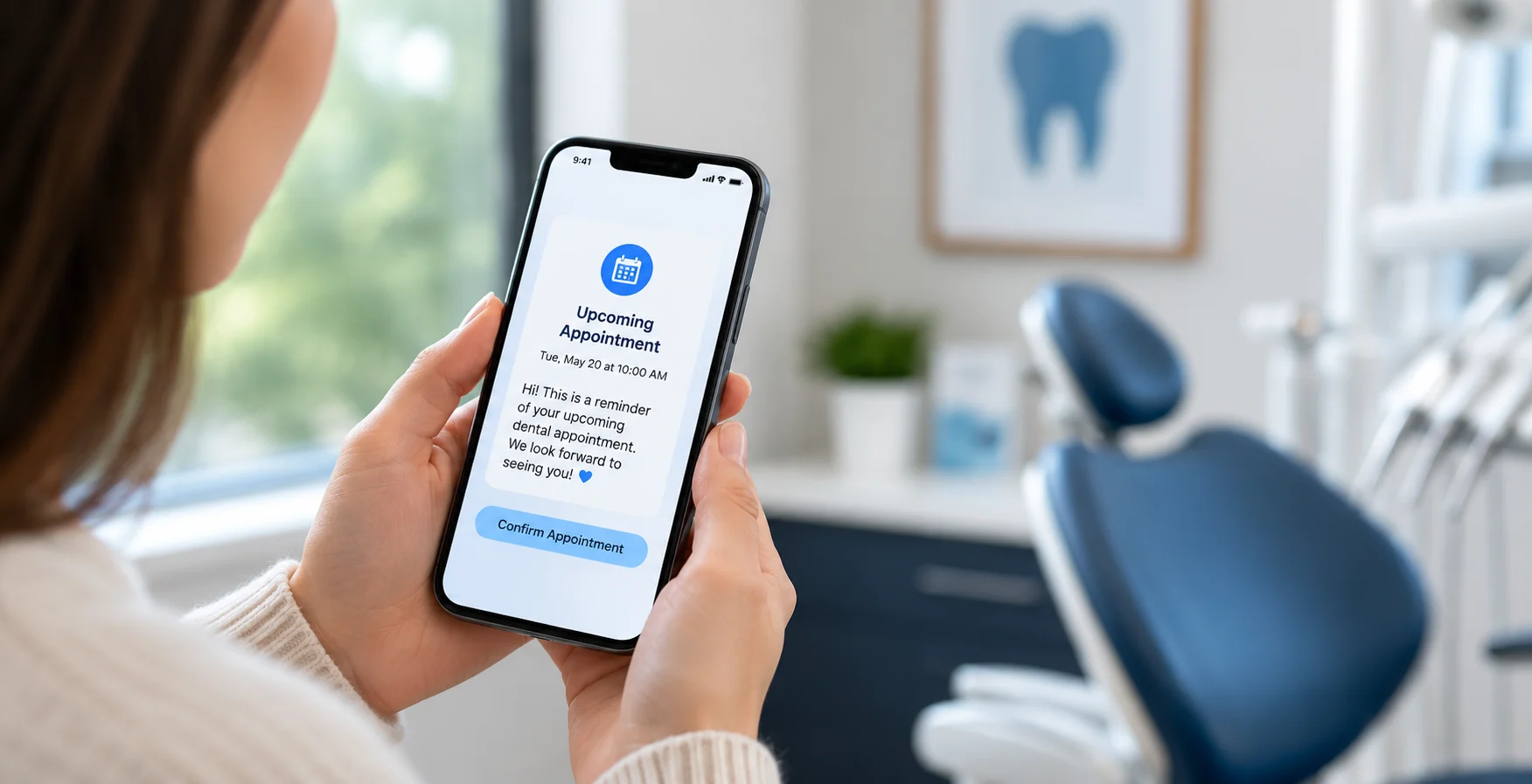
Missed appointments have always been one of the biggest challenges for dental practices. Every no show represents more than an empty chair. It means lost production, disrupted schedules, delayed patient care, and valuable time that can never be recovered. As practices look for smarter ways to reduce cancellations and improve operational efficiency, one strategy continues to stand out: appointment reminders.
But do appointment reminders actually increase patient show rates, or have they simply become another routine task in your practice management system?
The answer is more compelling than many practices realize.
Studies consistently show that well-timed appointment reminders can significantly reduce missed appointments, improve patient attendance, and help practices operate more efficiently. However, simply sending a reminder is no longer enough. The timing, communication channel, message personalization, and frequency all play an important role in determining whether a patient confirms, reschedules, or fails to show up altogether.
In this guide, we'll explore what the latest research says about appointment reminders, how they influence patient behavior, the reminder strategies that deliver the highest show rates, and the common mistakes that prevent many dental practices from seeing the results they expect. If you're looking to reduce no-shows, improve schedule utilization, and create a better patient experience, you're in the right place.
Let’s put a number on this before we talk strategy, because “a missed appointment” sounds abstract until you do the math.
Dental practices typically see a no-show rate of around 10% to 20%, depending on the type of appointment and patient mix. Hygiene visits usually perform better, while treatment appointments and less convenient time slots tend to have higher drop-offs.
Here’s what that looks like in real terms. Even at a 15% no-show rate, a practice seeing around 40 patients a day can end up losing a significant portion of monthly production. Over a year, that easily turns into hundreds of thousands in missed revenue for a single-doctor practice — even before accounting for unused chair time, staff rebooking efforts, and lost opportunities to treat waiting patients.
Because the real cost isn’t just the empty chair. It’s the production that never happened, the schedule disruption it creates, and the patients who never got seen because that slot was already “booked.”
Every missed appointment also:
So the question isn't really "should we send reminders" since almost every practice already does something. The real question is whether what you're sending is actually working or just creating the illusion of effort. Practices focused on reducing patient no-shows often find that optimizing reminder strategies delivers measurable improvements in schedule utilization.
Dental appointment reminders are automated messages sent before a scheduled appointment to help patients remember their visit. Dental practices use multiple communication channels and automated workflows to keep patients informed, reduce missed appointments, and make scheduling more predictable.
For example: A booking confirmation immediately, a text reminder one week out, an email two days before, and a same-day text the morning of the appointment. Modern practice management software integrates these workflows directly into your scheduling system.
Here is Why Practices Use Them:
Even workaholics forget meetings when their calendars are full, and their inboxes are noisy. Patients are no exception. They occasionally forget a dental appointment scheduled weeks in advance. Appointment reminders help bridge that gap by keeping upcoming visits top of mind.
This is where we separate fact from assumption. The short answer is yes.
Research consistently shows that appointment reminders increase patient show rates and reduce missed appointments across a wide range of healthcare settings, including dentistry. However, success depends less on whether you send reminders and more on how you send them.
The biggest improvements come from automated, multi-channel reminder systems rather than relying on a single phone call, a generic email, or simply hoping patients remember their appointment.
Let's look at the evidence because the numbers speak for themselves.
A large-scale study analyzing more than 1.6 million dental appointments across 64 dental practices over five years found that automated appointment reminders reduced no-show rates by 22.95%. Because the research followed multiple practices over several years, it offers one of the strongest real-world datasets available on the effectiveness of appointment reminders.
Another study conducted in a private orthodontic practice tracked 1,193 appointments and found that patients who selected their preferred reminder method had an overall no-show rate of just 4%. Among every communication channel studied, SMS text reminders produced the lowest no-show rate at only 1.9%.
A comprehensive meta-analysis also found that patients who received text or email reminders were 25% less likely to miss an appointment than those who received no digital reminder. The same research showed that sending multiple reminders, such as one several days before the appointment and another the day before, consistently outperformed sending only one reminder.
Researchers have also found that combining automation with personal outreach produces even stronger results. In one study, automated reminders reduced no-show rates from 23% to 17%, while adding a follow-up phone call for high-risk patients lowered the rate even further to 13%, representing an overall reduction of more than 40%.
The findings extend beyond the United States. NHS England reported that approximately 7.6% of more than 103 million outpatient appointments resulted in patients not attending, costing the healthcare system nearly £1 billion each year. As a result, SMS reminders are now widely recommended across the NHS, with several provider case studies reporting significant reductions in missed appointments after implementing reminder systems.
A reminder sent before a dental appointment gives patients time to prepare. Instead of realizing they have an appointment when they're already caught up in work or other commitments, they can plan their day, make adjustments if needed, and arrive on time.
Patients genuinely forget
Most missed appointments are not intentional. Dental visits are often booked weeks or even months in advance, making them easy to forget as work, family responsibilities, and everyday commitments take priority.
Schedules change
Patients may fully intend to attend when they schedule their appointment, but unexpected meetings, family obligations, or last-minute conflicts often arise. A timely reminder allows them to confirm or reschedule before the appointment is missed.
Text messages are easier to notice
Unlike phone calls that go unanswered or emails that sit unopened, text messages are usually seen within minutes. That makes SMS one of the most effective reminder channels for reaching patients when it matters most.
Multiple reminders keep appointments top of mind
Research consistently shows that reminder sequences perform better than a single reminder. Every additional touchpoint reinforces the appointment, making patients more likely to remember, prepare for, and ultimately attend their visit.
Not all reminder channels work equally, and understanding the practical differences between them helps you allocate your resources where they'll do the most good.
Text is the standout performer in virtually every study that compares channels side-by-side. The appointment reminder method is best for same-day reminders, short-notice confirmations, any appointment type, and any patient under roughly 60 years old.
For practices serving multilingual communities, SMS in the patient's preferred language is measurably more effective. Spanish-language reminders in particular have shown significant improvements in U.S. practices with Spanish-speaking patient populations. Language-customized reminders show cultural sensitivity while improving practical outcomes, and patients are simply more likely to respond to a message they fully understand.
Email is a strong complement to SMS, particularly for appointments that carry more complexity. The reminder method is best for new patient onboarding, complex restorative or implant appointments, and longer cosmetic cases.
Many practices combine email with patient communication platforms to deliver a more consistent and personalized patient experience across every touchpoint.
In a study comparing reminder channels, phone reminders resulted in a 3.49% no-show rate, which was higher than both SMS reminders (1.9%) and email reminders (2.68%). They also require significantly more time from your front desk team, making them the least scalable reminder option.
However, phone calls still deserve a place in your reminder strategy, particularly for:
Sending a reminder is only part of the equation. The way you write the message can have a significant impact on whether a patient confirms, reschedules, or misses the appointment altogether.
An effective reminder should answer the questions patients care about most without making them search for information.
Include:
Keep the message short, direct, and easy to understand.
The easier it is to confirm an appointment, the more likely patients are to respond.
Instead of asking patients to call the office, include a one-tap confirmation link or a simple reply option such as "Reply YES to confirm or NO to reschedule." Reducing unnecessary steps helps increase confirmation rates while saving valuable time for your front desk team.
Generic reminders are easier to ignore. Personalizing each message with the patient's name, appointment type, provider, or practice name makes the reminder feel more relevant and encourages patients to take action.
Most modern dental practice management systems can automatically personalize these details.
Giving patients an easy way to reschedule does not increase cancellations. In many cases, it actually reduces no-shows.
If a patient knows they cannot attend, they're far more likely to reschedule when the process is quick and convenient. Including a direct rescheduling link or simple response option gives your team advance notice, allowing the appointment to be filled instead of leaving an empty chair. This also helps practices minimize scheduling bottlenecks that can affect productivity throughout the day.
The easier it is for patients to respond, the more effective your reminder system becomes.
Appointment reminders can perform differently across dental specialties. That's why tracking is essential as It assists you in identifying the best reminder timing, message, and communication channel for your patients.
If you implement a new reminder system and simply judge its success by whether it feels like more patients are showing up, you won't have the data needed to optimize or troubleshoot your strategy. Practices using a dental CRM can monitor reminder performance, patient responses, and attendance trends far more effectively than relying on manual tracking. Tracking the right metrics helps you measure performance, identify gaps, and continuously improve your appointment reminder system.
Many practices visualize these KPIs through a dental performance dashboard, making it easier to identify trends and continuously improve appointment attendance.


September 30, 2026
8 min
Slow lead follow-up can silently drain your dental marketing budget. See where enquiries fall through the cracks and how faster response recovers lost patient value.
September 30, 2026
10 min
Dental AI agents can screen patient inquiries by treatment need, urgency, insurance, and location, handing your front desk only booking-ready leads.
September 27, 2026
8 min
See the 10 key KPIs dental practices should track for AI receptionists, including call resolution, booking rates, cost per appointment, and ROI.
Sign Up Now & Someone from Our Team Will Be in Touch Shortly!
Use the form below to send us a message, and we’ll get back to you as soon as we can.
.webp)
Track every marketing dollar and optimize patient conversions with ConvertLens. Gain valuable insights from your campaigns, ensuring you never miss a potential patient. Maximize ROI and grow your practice effortlessly.
-p-500.webp)