September 30, 2026
10 min
Dental AI agents can screen patient inquiries by treatment need, urgency, insurance, and location, handing your front desk only booking-ready leads.
March 27, 2026
8 min
Discover the 7 key components of Dental CRM that can enhance patient management, streamline operations, and boost practice growth.
If you run a dental practice or are a practice manager or DSO, sooner or later you’ll have to decide which CRM to use. But CRMs are strange products: most people buy features they don’t use, and what matters most is often hidden under the surface. If you want a map before you spend your money or time, this essay will give you a checklist for evaluating or adopting dental CRM software: what matters, why, and how to see it for yourself.
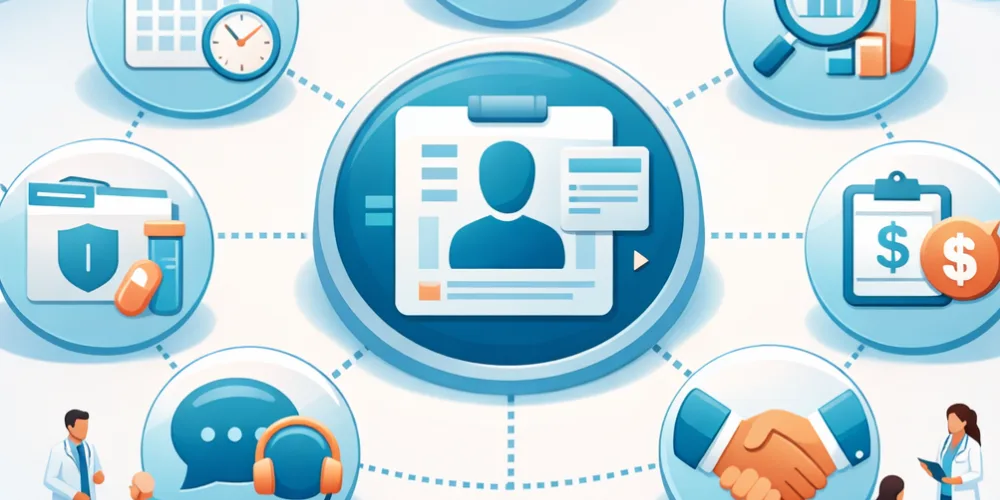
If you want the short answer, here are the seven pieces you actually need: 1) Centralized Patient and Treatment‑Plan Management; 2) Appointment Scheduling and Automated Reminders; 3) Lead Management and New‑Patient Conversion; 4) Marketing and Nurture Automation; 5) Two‑way Patient Communication and Reputation Management; 6) Integrations and Data Centralization; 7) Analytics, Reporting, Security, and Compliance.
Imagine the hub of the practice: all patient data in one place. Not scattered across folders, not locked in one ops manager's computer. Charts, staged treatments, insurance records, and consent forms turn the patient timeline from a guessing game into a single, trustworthy source. Clinical staff and front desk are all pulling from the same map instead of running in circles. For practices evaluating systems, understanding how to choose the right CRM for a dental practice can help ensure long-term usability and scalability.
What to Look For: Can you deduplicate patients easily? Do image attachments (photos, X-rays) live directly in the patient timeline? Can you pull up this chairside? If your answer isn't a quick yes, keep looking.
If you make people call you to book or forget to nudge them about their appointment, they'll either not show or never book at all. A good system offers online self-serve scheduling, syncs to your actual calendar, and automates the reminder sequence in a way that treats patients more like humans than tasks. For multi-location groups, leveraging patient communication platforms for DSOs ensures consistent reminders, messaging, and engagement across all clinics.
What to Look For: Try booking an appointment as if you were a patient. Is it smooth? Are reminders spaced out sensibly, are confirmations and easy reschedule links baked in? Let the practice manager demo this for you. If it feels kludgy, trust your instinct: actual patients will bail too.
Most practices don’t fail because they have too few leads but because they convert too few of them. A quality CRM captures leads from the web, from the phone, and from chat. But more crucially, it also makes speed possible: leads get scored, routed, tracked, and turned quickly into actual consults, not just line items in a spreadsheet you’ll never check. Many practices still underestimate this, which is why it’s important to understand whether dentists actually use CRMs effectively and how proper implementation impacts growth.
What to Look For: How long is it from the time a lead hits until the time your team responds or books? Can you track UTM sources? Is it obvious you're not dropping the ball? Don’t settle for 'mostly works'; this is where growth happens or never does.
Dental marketing isn’t about blasting more emails; it’s about sending the right messages at the right time. Recall sequences and segmented nurture campaigns run quietly in the background, nudging people who’ve forgotten you and saving your team hours each week. To build a strong foundation, many clinics explore why every dental practice needs a CRM to support automated recall and reactivation workflows.
What to Look For: Preview their nurture library. How easy is it to personalize? Can you tie campaign results directly to new bookings or reactivations in the analytics? If this feels like a check-the-box add-on, you’ll never use it; skip that vendor.
Practices win or lose on word of mouth, and that happens digitally now. You need two-way channels: real texting, secure email, and live chat. Automated review requests to boost Google scores, and mechanisms for gracefully handling negative feedback before a single-star review goes public. For DSOs and scaling practices, using a structured dental service organization CRM guide helps standardize communication across multiple locations.
What to Look For: Send yourself a test review request. Can negative feedback be caught and routed constructively? If not, expect public mistakes you could have avoided.
The biggest mess in modern dental tech: nothing talks. A worthwhile CRM syncs with your PMS/EHR, handles imaging and payments, and doesn’t force you to stitch data manually. That’s the only way to prevent silent data errors, attribution black holes, and operational headaches. If your PMS is CareStack, see the relevant product pages for region-specific details: CareStack Australia and CareStack UK. To avoid data silos, practices must learn how to properly integrate PMS with CRM and marketing systems so that every patient interaction is tracked seamlessly.
What to Look For: Demand a demo of two‑way sync; break it. Can it resolve conflicts when fields map differently? See the audit trails; if they can’t show you field mapping, they never got real at scale.
Piling up data is pointless unless you can use it. True dashboards should show you production, channel ROI, and flag compliance issues. Layer on real access controls; not everyone should see everything, and HIPAA compliance isn't just for checklists, it's real protection. Modern platforms like ConvertLens dental CRM combine analytics, automation, and integration into one unified system for better decision-making.
What to Look For: Pull up a channel ROI report. Can you audit PHI access easily? No report, no security, no deal.
Say a patient fills in a web form (with UTM tracking intact). Your SLA routes this within minutes. They book themselves online. Multi-step confirmations (48–72 hours out and again day-of) ensure they remember and reschedule if needed. Data was entered chairside. Recall messages sent automatically. Practices running this kind of loop see far fewer drop-offs, and it’s repeatable across locations. The clincher: using strong pre-written nurture messages means you launch in days, not months, and never skip a step if staff turn over.
Segment your database, shoot an SMS as the first touch, and follow up with an email and an instant booking link. Then track the following: recall rate, time-to-rebook, and chair utilization. Templates ensure no one’s writing from scratch and can be pushed across offices instantly. Systems like these automate what humans inevitably forget.
Your AI-driven CRM scoops up high-intent leads quickly and attributes every dollar to a channel. Want to know what’s working? Look at the lag between lead and booking, your PAC, and conversion rates from consult to treatment. Clinics who run attribution dashboards ruthlessly don’t just know where to spend: they know when to stop wasting money.
Quick launch sanity check: If you can’t verify calendar sync, run reminders, demo lead flow, and see audit logs live in the demo, walk away. There's no point shipping a ship riddled with holes.
Where ROI Grows: The three levers that actually move the needle: handling leads FAST, delivering scheduling + reminders predictably, and bulletproof CRM/PMS integrations. Industry wisdom (and platforms like ConvertLens) say that trust in ROI comes only with tight, uninterrupted data flow.
The Numbers No One Argues With: Look at enough dental practices and you see the same pattern: about 50–70% of consults convert to treatments. But only 20–30% of leads turn into those consults. CRM automation starts to show visible payoff, fewer no-shows, and better confirmations within 1–3 months. Real world: In your first year, your ROI may be flat; Year 2, you’ll see a 10–30 point rise if you actually measure and optimize.
A mid-sized practice finally got sick of watching leads rot in voicemail, so they implemented a CRM with lead scoring and real ROI analytics. They made sure every web lead retained source data, enforced response time under 5 minutes, and let people self-schedule with reminders baked in. What happened? In 90 days, their lead-to-booking rate shot up by 25%, no-shows fell by 20%, and shifting ad spend became a science, not a gamble. They learned that most gains came not from “doing more,” but from plugging the leaks in intake, scheduling, and integrated analytics.
If you want to visualize: Chart lead response time, no-show rate, and PAC before/after. Get an actual quote from the staff: “We thought our front desk was fast; turns out automation is faster and never forgets.” Run your own A/B test on reminders or nurture messages and document the delta.
Q: What are the 7 elements of a dental CRM?
A: Patient & Treatment Management, Scheduling & Reminders, Lead Management, Marketing Automation, Communication & Reputation, Integrations & Data, Analytics & Compliance.
Q: What’s the best way to cut no-shows?
A: Make it trivially easy for patients to confirm or reschedule, reminders spaced out sensibly, with frictionless links. Most practices see no-show drops from a real multi-touch cadence (48–72 hours + same-day).
Q: Can my CRM sync with my PMS?
A: It should; if not, don’t buy it. Test for two-way sync live: time the updates, check field mappings, and demand audit logs. Vendors like ConvertLens supply integration checklists; follow them as gospel. If you're evaluating specific PMS integrations, product pages such as CareStack Australia or CareStack UK show region-specific capabilities.
Q: How soon will I notice ROI?
A: Most see no-shows drop and confirmations pick up in the first 1–3 months. Real marketing efficiency and hard-dollar payback show up at 6–12 months and continue climbing into year two with steady measurement.
Q: Do canned nurture templates actually work?
A: Yes, if you personalize them and send at the right time. Most platforms include recall and follow-up libraries; the best have stats showing a measurable bump in conversions.
Q: What are the non-negotiable security features?
A: HIPAA compliance via BAA, strict access roles, encrypted offsite backups, immutable audit trails. Always test consent lineage and secure messaging in the demo, not after you’ve signed a contract.
Q: What should I bring to a demo?
A: Sample patient data, a real lead, access to your PMS, and a ruthless checklist: test lead routing, AI scoring, PMS sync, and ROI dashboard with channel granularity. Don’t settle for slides or hypothetical flows.
Q: How do I actually measure ROI?
A: Marry PMS appointment data with CRM lead attribution. Track your PAC, your lead-to-consult, and your consult-to-treatment conversion. If you’re not seeing 20–30% lead-to-consult and 50–70% consult-to-treatment, dig deeper. Channel-level reports tell you where to double down or bail out.



September 30, 2026
10 min
Dental AI agents can screen patient inquiries by treatment need, urgency, insurance, and location, handing your front desk only booking-ready leads.

September 27, 2026
8 min
See the 10 key KPIs dental practices should track for AI receptionists, including call resolution, booking rates, cost per appointment, and ROI.

September 24, 2026
6 min
An AI receptionist checks real-time schedules, matches providers and rooms, and confirms before updating, helping dental practices reschedule appointments without double-booking.
Sign Up Now & Someone from Our Team Will Be in Touch Shortly!
Use the form below to send us a message, and we’ll get back to you as soon as we can.
.webp)
Track every marketing dollar and optimize patient conversions with ConvertLens. Gain valuable insights from your campaigns, ensuring you never miss a potential patient. Maximize ROI and grow your practice effortlessly.
-p-500.webp)